
Introduction:
Why Your Online Store Needs a Technical SEO Glow-Up in 2025?
Ever feel like the internet’s a giant game of hide-and-seek, and your awesome e-commerce store is always “it”? You’ve poured your heart into those products, written killer descriptions, but Google’s just… not sending the traffic you know you deserve. Yep, I’ve been there, but mostly from the other side – the one helping businesses stop hiding and start showing up!
For over 5 years, I’ve been deep in the SEO trenches, helping online shops climb those Google ranks. And honestly, for e-commerce, it’s the technical SEO that often makes all the difference. It’s the behind-the-scenes magic – or sometimes, the sneaky little glitches – that decides if your products get seen or gather dust in the digital backroom.
This guide helps e-commerce Technical SEO professionals master advanced technical strategies in 2025: site architecture, Core Web Vitals, schema, JavaScript SEO, and more.
Why Technical SEO is More Important Than Ever for E-commerce in 2025
Look, in 2025, just having a cool website isn’t enough. Everyone’s got one! With fierce competition and Google’s brain getting smarter (hello, AI!), technical SEO isn’t just a “nice-to-have.” It’s your website’s absolute backbone. We’re talking about things like how fast your site loads, if Google can easily “read” all your pages, and how your thousands of products are neatly organized. If the technical side is messy, all your brilliant marketing efforts might just go unnoticed. It’s like having the best shop in town, but the doors are locked, and Google Maps can’t find you! Not ideal, right?
Who This Guide Is For: You, The E-commerce SEO Pro!
If you’re reading this, chances are you’re past the “What is SEO?” stage. You’re an SEO professional, maybe working for an agency or managing an in-house team, and you’re wrestling with the unique challenges of online stores. You’ve got keywords and content down, but now you want to master the deeper technical stuff that really pushes e-commerce sales. This guide is for you – no fluff, just practical, advanced tips from someone who’s been there, fixed that, and probably debugged a few tricky website loops before breakfast.
How Technical SEO, User Experience (UX), and Sales All Connect
Here’s the cool part: Technical SEO isn’t just about making Googlebots happy. It’s about making your site awesome for your actual shoppers! A faster, more organized, and easy-to-browse website isn’t just good for rankings; it’s fantastic for how people feel when they visit (that’s UX!). And when users have a great experience? They stick around, find what they need, and guess what? They buy stuff. So, think of Technical SEO, UX, and getting more sales (Conversion Rate Optimization, or CRO) as the dream team for e-commerce success. We’re going to show you how they all work together.
Chapter 1: Building a Rock-Solid Foundation: E-commerce Site Architecture for Big Stores
Alright, let’s start with the blueprint of your online shop: its architecture. For a new store, it’s about setting things up perfectly from day one. For a huge, growing site, it’s about making sure it can handle all those products without becoming a tangled mess. We’re planning for growth, not just for today’s inventory.
Designing a Future-Proof Layout for Lots of Products
Imagine your website like a super-organized warehouse. Every product, every category needs its own logical spot. If Google’s bots (or your customers) get lost trying to navigate, you’ve got a problem. This isn’t just about putting things into folders; it’s about telling Google which pages are most important and how they all connect.
- Category-Subcategory-Product: The Smart Way We all know this basic setup, but for e-commerce, the details matter. How deep should you go with your categories? When does a subcategory become its own big topic? We’ll dig into making these connections work smoothly so that your important pages get the “link juice” (yes, we still say that!) they deserve, and users always know where they are.
- Flat vs. Deep Layouts: Which is Best for Your E-commerce Site? Is a simpler, “flatter” website always better? Not necessarily. While a flatter structure might mean fewer clicks to products, a deep, logical structure can be incredibly powerful for really huge inventories. We’ll look at the good and bad of each, helping you pick the best fit for your e-commerce giant.
- Using Breadcrumbs Smartly for SEO & User Experience Those little “Home > Shirts > T-Shirts > Red T-Shirt” links? They’re more than just helpful navigation. They’re an SEO goldmine! They provide structured data, can be full of keywords, and clearly show Google how your site is organized. Let’s make sure your breadcrumbs aren’t just pretty but super powerful.
Fixing Faceted Navigation & Filters for Google to Understand
Ah, faceted navigation. It’s a shopper’s dream for finding exactly what they want (“Show me only red, size large, cotton t-shirts under $50!”). But for SEO, it can be a nightmare if not handled right. This is where Google’s bots can get stuck in a “crawl trap” faster than you can say “duplicate content.”
- The Faceted Navigation Problem: Why It’s Tricky for SEO We’ll explain why all those filter options (like color, size, brand) can create such chaos for SEO, leading to endless website addresses and that dreaded duplicate content problem. Understanding the issue is step one to fixing it.
- Smart Use of rel=”canonical” on Filtered Pages The canonical tag is your secret weapon here. But it’s not as simple as just slapping it on. We’ll dive into clever ways to pick the right canonical page for your filtered results, making sure you group all the ranking power together without hiding important content.
- Noindexing vs. Parameter Settings: Making the Right Call Should you tell Google to ignore those filter URLs completely (noindex)? Or use Google Search Console’s parameter tool (which, honestly, is a bit old-school but still around)? We’ll compare these options, helping you make smart choices so Google focuses on your important pages.
- Rewriting URLs for Clean, SEO-Friendly Filters Sometimes, the best solution is to get rid of those messy, jumbled website addresses that filters create. We’ll show you how rewriting your URLs can turn ugly, hard-to-crawl filter links into clean, keyword-rich paths that Google absolutely loves.
Smart Internal Linking for Your E-commerce Product & Category Pages
If your site architecture is the skeleton, internal linking is the blood flow, pushing valuable “link juice” (yep, still saying it!) all over your e-commerce site. This is how you tell Google which pages matter most and how they all relate to each other.
- Automated Internal Linking for Huge Product Lists Trying to manually link every product on a massive e-commerce site? Forget about it! We’ll look at tools and methods to automatically link pages, making sure your hundreds or thousands of products are perfectly connected without a headache.
- Links in Content: Boosting Your Topics’ Authority Beyond just main navigation, putting relevant links inside your blog posts or longer product descriptions is super powerful. We’ll show you how to strategically place these to tell Google you’re a deep expert on a topic, and to guide users deeper into your site.
- Checking Where Your Internal Link Power Is Going Are your most important product pages getting enough internal link love? We’ll show you how to check where your internal link power is flowing, so you can find any “orphan pages” (more on those next!) or pages that aren’t getting enough attention.
- Finding and Fixing Orphan Pages and Dead Ends Orphan pages are like lost kids on your website – they exist, but no one can find them! We’ll give you a simple checklist to spot these hidden pages and link them back into your site’s valuable network.
Chapter 2: URL Structure & Management for E-commerce Success
Your website addresses (URLs) aren’t just names; they’re strong SEO signals. For e-commerce, where URLs can get complicated with product variations and filters, getting this right is super important. We’re going to make your URLs work for you.
Making Your E-commerce Product URLs SEO-Friendly (Even for Variations)
Clean, easy-to-understand URLs are a must for any online shop. They make your site better for users, help with internal linking, and give Google a clear idea of what your page is about.
- Keywords, Readability, and Keeping it Short and Sweet It’s a tricky balance: include important keywords, make them easy for people to read, and don’t let them get so long they wrap around the screen. We’ll show you how to find that perfect SEO sweet spot for your product and category URLs.
- Handling Product Variations (Like Colors or Sizes) in URLs This is where many e-commerce sites mess up. Should a “red t-shirt” and a “blue t-shirt” have their own unique URLs, or just use a color setting in the address? We’ll explain the SEO effects of each, helping you pick the best way for your products.
- The Deal with Hyphens vs. Underscores in URLs A classic SEO debate! While Google pretty much treats them the same now, it’s still best practice to use hyphens for readability and because that’s how we’ve always done it. We’ll quickly cover why it matters (or doesn’t) for your e-commerce URLs.
Advanced Canonical Tag Tricks for E-commerce

Canonical tags are the unsung heroes of e-commerce SEO, especially with all the duplicate content that comes from filters, product variations, and tracking codes. Get them wrong, and your site could have big problems. Get them right, and you gather all that ranking power into one spot.
- Beyond the Basics: Using Canonical Tags for Product Variations & Filters We’re not just talking about simple canonical tags here. We’ll dive deep into how to use them for specific product variations, how to manage them on filtered pages, and when to be really aggressive or super careful with them.
- Self-Referencing Canonicals vs. Cross-Domain Canonicals: What’s the Difference? Understanding this is vital. When should your page point to itself, and when should it point to a completely different website? We’ll clarify these more advanced uses, especially if you have content on multiple sites.
- Troubleshooting Canonical Loops & Problems Ever seen a canonical tag pointing to page A, and page A then points back to the first page? It’s a never-ending circle that messes up indexing! We’ll arm you with ways to find and fix these annoying “canonical loops.”
- Canonicalizing Paged Content (Like Category Page 1, Page 2, etc.) Category pages often spread across many pages (page 1, page 2, and so on). We’ll talk about the old rel=”prev/next” (RIP!) and the best current ways to handle paged content with canonical tags, making sure all your products get found and listed efficiently.
Handling Redirects for E-commerce: Site Moves & Updates
E-commerce sites are always changing – products go out of stock, categories shift, and sometimes, you even move your whole store to a new platform. Knowing how to manage redirects is your shield against losing all that hard-earned SEO power.
- Setting Up 301 Redirects Perfectly During Big Site Moves Moving an e-commerce site is like doing complicated surgery on your SEO. A flawless 301 redirect map is a must. We’ll give you a plan for setting up, putting in place, and double-checking redirects for thousands of URLs.
- Finding and Fixing Chained Redirects One redirect pointing to another, then another, then another… it’s a mess for both users and Google’s bots, wasting precious time and slowing things down. Learn how to spot these redirect chains and simplify them for better performance.
- Soft 404s vs. Real 404s: Spotting and Fixing Them Google is pretty smart and can spot “soft 404s” – pages that technically say “everything’s fine” but are actually empty. We’ll show you how to find these sneaky issues and make sure you’re using proper 404 (Page Not Found) or 410 (Permanently Gone) codes.
- What to Do with Expired or Out-of-Stock Products (410 vs. 301) When a product is gone for good, what’s the best move? A 410 (Gone) is often better than a 404 if it’s truly gone, telling Google to quickly remove it. But sometimes, a 301 (Permanent Redirect) to a similar product or category makes more sense. We’ll discuss the smart choices.
Chapter 3: Advanced Crawling & Indexing Troubles: Getting Googlebot to Love Your Site
Think of Googlebot as your site’s most important visitor. If it can’t find its way around, or if it wastes time on junk, your visibility takes a hit. This chapter is all about making sure Googlebot has VIP access to all your valuable e-commerce pages.
Becoming a Googlebot Detective: Using Log File Analysis
This is where we put on our Sherlock Holmes hats. Looking at log files isn’t for everyone, but it’s pure gold for finding out exactly how Googlebot (and other bots) interact with your site, uncovering problems no other tool can.
- What Log Files Tell You About How Google Crawls Your Site We’ll explain how to read those tricky log entries and understand if Googlebot is spending its precious “crawl budget” wisely on your site, or getting stuck in unimportant areas.
- Finding Hidden Crawl Problems (Like Googlebot Stuck in Filters) Ever wonder if Googlebot is visiting pages it shouldn’t, or missing important ones? Log files don’t lie. We’ll show you how to spot patterns like bots getting caught in endless filter loops or completely ignoring your newly added products.
- Deciding Which Pages Google Should Crawl First Using Log Data With real data about bot behavior, you can smartly tweak your robots.txt, sitemaps, and internal links to guide Googlebot to your most important, money-making pages first. It’s like having a personal tour guide just for Google!
Robots.txt & XML Sitemaps: Taking Smart Control of Big E-commerce Sites
These aren’t just boring text files; they’re powerful commands for managing how Google deals with your huge e-commerce inventory. For a new site, setting them up right is key. For a large site, fine-tuning them is a continuous art.
- Optimizing Robots.txt to Use Your Crawl Budget Smartly We’ll go beyond just blocking admin pages. We’ll talk about cleverly blocking low-value, duplicate content areas (like internal search results pages or user accounts) to free up Google’s time for your truly important pages.
- Dynamic Sitemaps for E-commerce Stores That Change Often Got thousands of products? Or products that update daily? Static sitemaps are a nightmare! We’ll explore how dynamic sitemaps can instantly tell Google about your latest inventory, helping new products get found faster.
- Image & Video Sitemaps for Better Product Discovery Your product images and videos are super important for e-commerce. Don’t let them get lost! We’ll show you how to use special image and video sitemaps to boost their visibility in Google Images and video search results.
- Submitting Sitemaps and Watching Them in Google Search Console It’s not enough to just create sitemaps; you need to tell Google about them and see how they’re doing. We’ll walk you through advanced features in GSC for submitting sitemaps and checking for errors.
JavaScript SEO for Modern E-commerce Websites
Modern online stores often use a lot of JavaScript for interactive stuff like dynamic content, filters, and user actions. But JavaScript and SEO can be a tricky dance. If Google can’t “see” your content because of JavaScript, it won’t list it. Simple as that.
- Understanding How Google Sees Your JavaScript Site (WRS) How does Google actually read your heavy JavaScript e-commerce pages? We’ll break down Google’s Web Rendering Service (WRS) and how it processes JavaScript, helping you spot where problems might occur.
- Server-Side Rendering (SSR) vs. Client-Side Rendering (CSR) vs. Hydration: Which is Best for E-commerce SEO? This is a big topic. We’ll compare these different ways of building websites, explaining the SEO pros and cons of each for e-commerce, and helping you pick what works best for your site so Google can crawl it easily.
- Common JavaScript SEO Mistakes on E-commerce Sites From content that’s “hidden behind a click” to internal links generated by JavaScript that bots can’t follow, we’ll point out the most common JS SEO errors and how to find them on your e-commerce site.
- Tools & Tricks for Testing JavaScript Crawlability You can’t fix what you can’t see. We’ll share the essential tools (like Google’s Mobile-Friendly Test, URL Inspection Tool, and Screaming Frog’s JavaScript rendering) and methods to make sure Google is seeing your e-commerce content exactly how you want it to.
Chapter 4: Core Web Vitals & E-commerce Performance: Making Your Site Super Fast (2025 Update)
Site speed isn’t just about ranking anymore; it’s absolutely vital for user experience and, ultimately, your online sales. In 2025, Core Web Vitals are still the big players, with new measurements like INP stepping into the spotlight.
Understanding the Latest Speed Metrics for E-commerce (Focus on INP)
The days of just “being fast” are over. Google’s getting much smarter about how it measures how users experience your site. We’ll focus on what’s critical for e-commerce shops.
- Largest Contentful Paint (LCP) Fixes for Product Photos & Banners Your main product images and top banners are often the biggest culprits for slow loading. We’ll dive into advanced ways to make sure your most important visual content loads incredibly fast, boosting both your rankings and happy users.
- Interaction to Next Paint (INP) for E-commerce Buttons & Filters INP is Google’s new favorite metric, measuring how quickly your site responds when users click or tap. For e-commerce, this means making sure your “add to cart” buttons, quick view pop-ups, and product filters feel instant and snappy.
- Cumulative Layout Shift (CLS) in Product Pages: No More Jumpy Content! Ever had product images or “add to cart” buttons suddenly jump around while a page is loading? That’s CLS, and it’s super annoying for users. We’ll pinpoint common CLS causes in e-commerce (like ads or image placeholders) and show you how to fix them.
Advanced Speed Tricks for All E-commerce Platforms
Beyond the Core Web Vitals, there are deeper technical fixes that can shave precious milliseconds off your load times, giving you an edge in both rankings and sales.
- Image & Video Optimization Beyond Simple Sizing Your product images and videos are huge files. We’ll go beyond basic compression to explore newer formats like WebP and AVIF, and smart “lazy loading” techniques that keep your visuals stunning without slowing down your site.
- Critical CSS & JavaScript Deferral for Faster E-commerce Loading Not all code is equally important when a page first loads. We’ll show you how to find and prioritize “critical CSS” (the styling needed right away) and delay loading JavaScript that isn’t immediately necessary, so your site shows up fast.
- Using CDNs for Global E-commerce Shops If your customers are all over the world, a Content Delivery Network (CDN) isn’t just an option – it’s a must-have. We’ll explain how CDNs bring your website content closer to your users, drastically speeding up delivery times.
- Server Speed Fixes: Better Hosting & Database Efficiency Sometimes, your website’s slowness isn’t about your code, but your server itself. We’ll explore how to make your database queries faster, choose efficient hosting, and use server-side caching to drastically improve how quickly your site starts loading.
Checking & Fixing Core Web Vitals for E-commerce
You can’t fix what you don’t measure! We’ll show you how to use crucial tools to keep a close eye on your site’s performance and find exactly where the problems are hiding.
- Using PageSpeed Insights & Lighthouse for E-commerce Checks These Google tools are your first line of defense. We’ll guide you through understanding their often-tricky advice specifically for e-commerce, focusing on what truly affects how your product pages perform.
- Understanding CrUX Report & GSC Core Web Vitals Report Knowing how real users experience your site (from the Chrome User Experience Report, or CrUX) and Google Search Console is vital. We’ll teach you how to read these reports to see how your e-commerce site truly performs for actual visitors.
- Real User Monitoring (RUM) for Deeper E-commerce Insights For the serious pros, RUM tools take performance checking to the next level. They give you deep insights into how real users interact with your site and can spot problems that simple tests might miss.
Chapter 5: Structured Data for E-commerce: Getting Those Awesome Rich Snippets!
Structured data (also called Schema Markup) is your golden ticket to really stand out in Google’s search results. For e-commerce, this means getting those eye-catching “rich snippets” that can boost your clicks and help Google perfectly understand your products.
Adding Product Schema Markup for Better Visibility
This is an absolute must-do for every e-commerce product page. We’re not just adding some code; we’re giving Google a clear map to all your product’s most important details.
- Required & Recommended Details for Product & Offer Schema We’ll break down the essential pieces of information you absolutely must include (like product name, image, description, price, brand) and the highly recommended ones that can unlock those super cool rich results.
- Handling Product Variations (Colors, Sizes) with Schema This can get complicated! How do you properly mark up different product versions (like different colors or sizes) so Google understands each unique offering without causing duplicate content issues? We’ll tackle this common e-commerce challenge.
- Getting Those Rich Results: Price, Stock, & Star Ratings This is the holy grail! We’ll show you how to correctly add schema to get those awesome price, in-stock, and star rating snippets right in Google’s search results, making your products impossible to ignore.
Review & AggregateRating Schema: Building Trust & Clicks
Social proof is massive for e-commerce. Schema for reviews and ratings helps you show off that trust directly in Google, often leading to a big jump in how many people click on your listings.
- Putting User Reviews into Structured Data Whether you use a review app or collect reviews yourself, we’ll guide you through correctly marking up your customer reviews and overall star ratings.
- Common Mistakes and How to Check Your Schema Getting review schema wrong can lead to penalties. We’ll point out the most frequent errors (like fake reviews or bad code) and show you how to use Google’s testing tools to make sure your setup is perfect.
Local Business Schema for Shops with Both Online & Physical Stores
If you have a physical shop alongside your online store, connecting them in Google’s eyes is super important for local SEO.
- Connecting Your Physical Stores with Your Online Presence We’ll discuss how LocalBusiness schema can link your online inventory with your real-world locations, telling Google that your products are also available nearby, which helps you show up in local searches.
- Consistent Name, Address, Phone (NAP) and Google My Business Schema helps, but it needs to match your business name, address, and phone number everywhere online, especially on your optimized Google My Business profile.
Other Useful E-commerce Schema Types
Beyond products and reviews, there are other schema types that can improve your e-commerce presence and give Google valuable extra information.
- BreadcrumbList Schema Again, those helpful breadcrumbs aren’t just for users; schema makes them look great in search results too.
- FAQPage Schema for Product & Category Pages Got common questions on your product or category pages? FAQ schema can get you valuable accordion-style snippets directly in Google search.
- VideoObject Schema for Product Videos If your product pages have how-to videos or demos, make sure Google understands what they’re about with VideoObject schema.
- Tools for Creating & Checking Your Schema We’ll show you the best tools (like Google’s Rich Results Test and Schema Markup Generator) to help you create and troubleshoot your structured data, making sure everything is just right for Google.
Chapter 6: International E-commerce Technical SEO: Reaching Customers Worldwide
Going global with your online store is exciting, but it adds a whole new layer of technical SEO challenges. Getting international targeting wrong can lead to major duplicate content problems and missed sales opportunities.
Hreflang Tags: Telling Google About Your Different Language & Region Pages
Hreflang tags tell Google which version of a page to show to users in different languages or countries. For international e-commerce, it’s absolutely essential.
- The Right Way to Use Hreflang: Link Tags, HTTP Headers, Sitemaps We’ll break down the three main ways to set up hreflang, their pros and cons, and the exact code you need to get it right – no more guessing games.
- Common Hreflang Mistakes & How to Fix Them Hreflang is known for being tricky. We’ll point out the most common errors (like forgetting a “return tag” or using the wrong country code) and show you how to debug them using Google Search Console.
- x-default Hreflang: Your Global Fallback Plan What happens if Google can’t find a perfect language/region match for a user? The x-default tag is your backup plan, and we’ll show you how to use it smartly for your global e-commerce business.
Geo-Targeting Strategies for International E-commerce
Beyond hreflang, how do you tell Google exactly who you’re trying to reach? Should you use country-specific domains, subdomains, or subfolders? This decision has huge SEO consequences.
- ccTLDs (.co.uk), Subdomains (https://www.google.com/search?q=uk.example.com), or Subfolders (example.com/uk/): Picking the Best Option Each approach has its upsides and downsides when it comes to SEO power, hosting, and ongoing management. We’ll help you weigh the choices for your international e-commerce strategy.
- Google Search Console’s International Targeting Reports GSC is your best friend for keeping an eye on international SEO. We’ll show you how to use its reports to track how well your geo-targeting is working and find any problems.
- Server Location & IP Addressing: Does It Matter? While less important than your domain setup or hreflang, where your server is located can still play a small role. We’ll briefly touch on its impact on speed and how local users perceive your site.
Translating & Localizing Your Content: The Technical Stuff
It’s not just about changing words from one language to another; it’s about making the whole experience local, and that has technical considerations.
- Handling Translated URLs and Clean Slugs Should your French product pages have French URLs? (Hint: Yes!) We’ll discuss the best ways to create translated URLs and how to make your slugs (the end part of the URL) optimized for different languages.
- Duplicate Content Issues in Multi-Language Sites Even with hreflang, having un-translated or poorly adapted content across different country versions can trigger duplicate content warnings. We’ll cover how to avoid these common mistakes.
Chapter 7: Advanced E-commerce Technical SEO Audits & Your Toolbelt
Alright, you’ve learned a ton. Now it’s time to put on your detective hat, grab your magnifying glass (or, you know, your favorite SEO tools!), and do a full-on technical deep dive. This is where we find those hidden issues that are holding your e-commerce store back.
How to Do a Full E-commerce Technical SEO Audit (For Pros!)

This isn’t just a basic checklist you can find with a quick search. This is about building a solid plan to find, prioritize, and fix the trickiest technical SEO problems on big e-commerce websites.
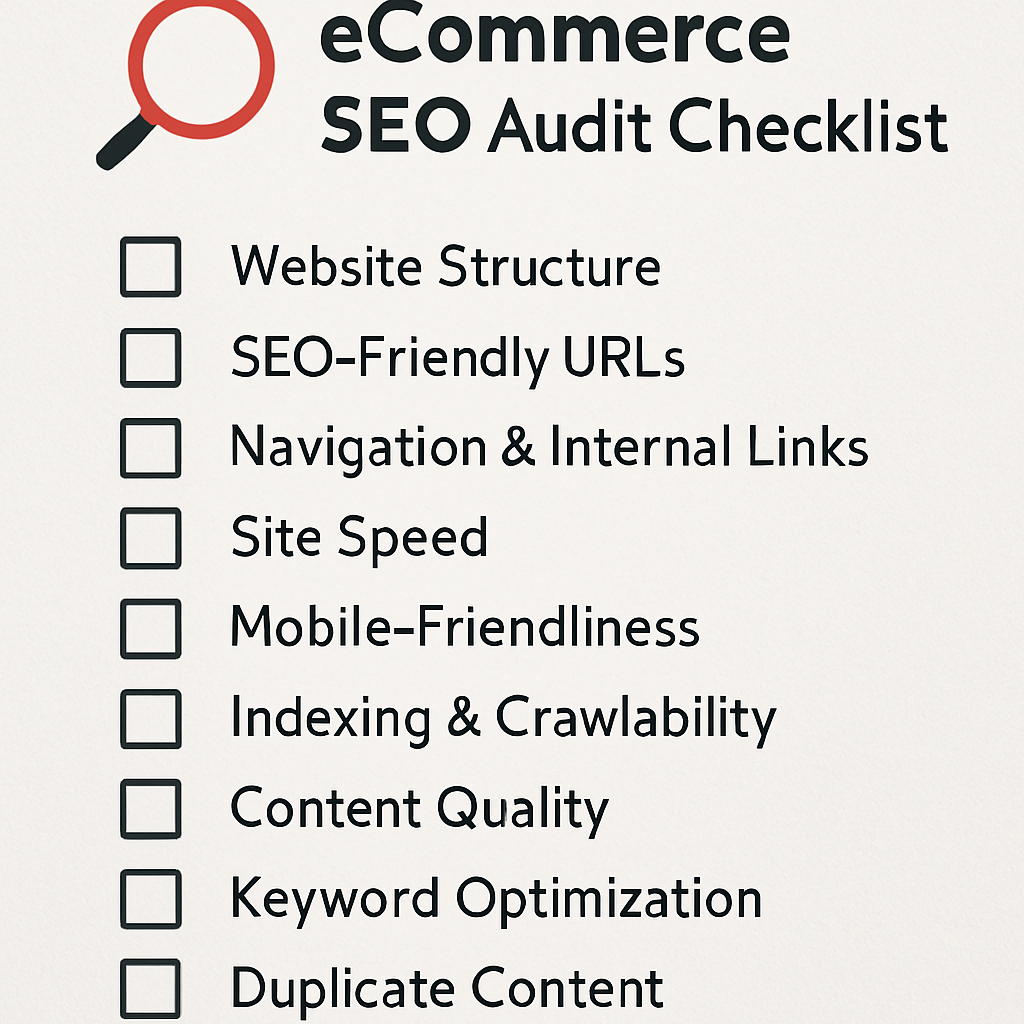
- Setting Up Your Audit Plan & What to Focus On First We’ll show you how to structure your audit, from collecting data to figuring out what it means, and how to decide which problems to fix first (because who has time for small stuff when there’s a big fire?).
- Key Areas to Check: Crawling, Indexing, How Pages Show Up, Speed, Structure We’ll break down the essential parts of a technical audit, making sure you don’t miss any critical areas that could derail your e-commerce SEO efforts.
- What to Show Clients/Bosses: Reports & Recommendations You can find all the problems in the world, but if you can’t explain them clearly to clients or your boss, it doesn’t help much. We’ll talk about how to present your findings and suggestions for the biggest impact.
Essential Technical SEO Tools for E-commerce Professionals
Forget the basic free tools. These are the tools that separate the serious pros from the beginners, giving you the power to scan, analyze, and fix e-commerce sites, even huge ones.
- Screaming Frog SEO Spider: Advanced Tricks for E-commerce It’s the workhorse of technical SEO. We’ll go beyond basic scanning and show you how to use its advanced features for e-commerce, like custom data extraction for schema and testing how JavaScript pages look.
- Sitebulb: Deeper Insights & Visuals If Screaming Frog is your hammer, Sitebulb is your entire toolbox, offering visual maps of your site’s structure, how links flow, and deep insights that can reveal complex problems at a glance.
- Ahrefs / Semrush: Technical Audit Features & Competitor Spying These all-in-one platforms aren’t just for finding keywords and backlinks. We’ll explore their site audit tools and how you can use them to compare your technical performance against your competitors.
- Google Search Console: Core Reports & Advanced Debugging Always check GSC first! We’ll dive into its powerful reports for Core Web Vitals, index coverage (what pages Google has listed), and the URL inspection tool, showing you how to get direct feedback from Google about your site’s health.
- Lighthouse & PageSpeed Insights: Checking Your Site’s Speed Your go-to for quick speed checks. We’ll discuss how to understand their recommendations specifically for e-commerce, focusing on what truly impacts how users experience your product and category pages.
- Log File Analyzers: Understanding How Googlebot Behaves As we talked about, this is like having a spy glass into Googlebot’s world. We’ll touch on popular log file analyzers and what important data points to look for when dealing with an e-commerce site.
Automating Technical SEO Monitoring for E-commerce
Manual checks are okay for small sites, but for big, constantly changing e-commerce stores, automation is key to catching problems before they get out of hand.
- Setting Up Alerts for Major Technical Issues Don’t wait for Google to tell you there’s a problem. We’ll discuss how to set up alerts for things like sudden drops in how often Google crawls your site, big jumps in “Page Not Found” errors, or unexpected changes to your canonical tags.
- Coding for Data Extraction and Analysis (For the Super Pros!) For those who love to code, we’ll briefly explore how simple scripts can automatically pull data from different sources, letting you create custom reports and get even deeper insights into your e-commerce site’s technical health.
Conclusion: Staying Ahead in E-commerce Technical SEO
Phew! If you’ve made it this far, give yourself a big pat on the back. You’ve just gone through a masterclass in e-commerce technical SEO. But here’s the real talk: the job’s never truly done. The world of search is always changing, and for e-commerce, that change happens at lightning speed.
How Search Engines & E-commerce Keep Changing
Google isn’t sitting still, and neither are online shoppers. New e-commerce platforms pop up, how users behave shifts, and Google’s search brains get even smarter. Your ability to adapt and stay ahead of the curve is what will truly make you a successful e-commerce SEO professional.
Future Trends: AI’s Impact on Technical SEO, Generative AI in Search
This is the big topic for 2025 and beyond. How will those new AI-powered overviews in Google search affect clicks to e-commerce sites? How can generative AI help (or accidentally hurt) our technical SEO efforts? We’ll peek into the future, sharing insights on how AI will keep changing our technical SEO strategies. This isn’t just theory; it’s about getting ready for what’s next so you can be proactive, not just reacting to changes.
Where to Keep Learning & Connect with Other Pros
The best SEOs never stop learning. We’ll point you to the communities, blogs, and resources that keep top professionals updated on the latest technical e-commerce SEO insights. Because sharing knowledge and learning from others is how we all win.
Your Next Step: Take Control of Your E-commerce Technical SEO!
So, what’s next? This guide is packed with actionable steps. Pick a chapter, roll up your sleeves, and start implementing. Don’t let your e-commerce site play hide-and-seek with Google any longer. It’s time to take full control of your technical SEO, boost that organic visibility, and watch those sales climb.
And hey, if you ever feel like you’re playing “it” again, remember: I’ve been there. And my little corner of the internet, Search Engine Roots, is always here to help you stop hiding and start showing up. Let’s keep those e-commerce sites climbing the ranks!
Frequently Asked Questions (FAQs)
1. What is technical SEO for e-commerce?
It’s the process of optimizing your online store’s infrastructure—site speed, crawlability, structured data, and more—for better search rankings.
2. How do I handle out-of-stock products for SEO?
Use a 410 status if permanently gone, or a 301 redirect to a relevant alternative product or category.
3. What’s the BIGGEST technical SEO thing I should focus on for my e-commerce store right now?
In 2025, if you’re only going to do one thing, make it site speed and user experience (UX). Google is obsessed with how fast and smooth your site is for users, especially on mobile. That means focusing on those Core Web Vitals (LCP, INP, CLS) to make sure your product pages load quickly and feel snappy. If users love it, Google loves it, and that means more sales!
4. My store has thousands of products. How do I even start with technical SEO without getting totally overwhelmed?
Start with an audit. Think of it like a health check for your website. Use tools like Screaming Frog or Sitebulb to crawl your site. Don’t try to fix everything at once! Focus on the biggest issues first: broken links, duplicate content, major speed problems, and pages that Google can’t seem to find. Prioritize what will give you the most “bang for your buck” in terms of SEO improvement.
5. What’s the deal with “faceted navigation” and why is it such a headache for SEO?
Faceted navigation is when users can filter products by size, color, brand, etc. (like “red t-shirts, size large”). The headache is that each filter combination often creates a new, unique website address (URL). This can lead to thousands of similar pages that Google sees as duplicate content, wasting its time and confusing it about which page to rank. We use canonical tags, noindex rules, and sometimes URL rewriting to guide Google and prevent this mess.
6. How important are hreflang tags for an international e-commerce site? Are they really that complicated?
Yes, they are super important! If you have different language or country versions of your store (e.g., example.com/en-us/ and example.com/fr-ca/), hreflang tags tell Google exactly which page to show to a user based on their language and location. If you mess them up, Google might show the wrong version, or even worse, think you have duplicate content across your international sites. They can be tricky, but there are tools and precise guidelines to follow to get them right.
7. What’s the one thing I absolutely must do with Schema Markup for my products?
You must implement Product Schema. This tells Google directly about your product’s name, image, description, price, and availability. It’s how you get those eye-catching “rich snippets” in search results, like the star ratings, price, and “in stock” notes, which can make a huge difference in how many people click on your listing.
8. My e-commerce site uses a lot of JavaScript. Will Google even see all my content?
Google has gotten much better at crawling and understanding JavaScript. However, it still adds an extra step to its process. If your JavaScript is poorly implemented (e.g., hiding content behind user actions or creating links Google can’t follow), it can absolutely hurt your SEO. You need to test your site’s “renderability” to make sure Google sees the same content you do. Tools like Google’s URL Inspection tool and JavaScript-rendering crawlers are your best friends here.
9. How often should I be doing technical SEO checks on my e-commerce store?
For large, active e-commerce sites, ongoing monitoring is key. Small changes can have big impacts. I recommend:
- Daily/Weekly: Check Google Search Console for new crawl errors, indexing issues, or Core Web Vitals changes.
- Monthly: Do a lighter crawl with a tool like Screaming Frog to spot broken links, new redirect chains, or unexpected noindex tags.
- Quarterly/Bi-Annually: Perform a deeper, more comprehensive technical audit to review site architecture, schema implementation, and overall performance.
10. What’s the future of technical SEO with all this new AI stuff happening?
AI is a game-changer! It means Google is getting even better at understanding content and user intent, so technical SEO becomes even more about clarity, speed, and accuracy. You’ll need to make sure your site is perfectly structured and fast so AI-powered search (like Google’s AI Overviews) can easily understand and use your content. Also, be mindful of how you use AI to generate content – make sure it’s high-quality and truly helpful, not just keyword-stuffed fluff.
11. My products constantly go out of stock or get discontinued. How do I handle that for SEO?
This is a common e-commerce challenge!
- Temporarily Out of Stock: If it’s coming back, keep the page live. You can show an “out of stock” message and maybe let users sign up for notifications. Google will keep it indexed.
- Permanently Discontinued (with a close replacement): Use a 301 redirect from the old product page to the most relevant new product page or category page. This passes the SEO value.
- Permanently Discontinued (no good replacement): Use a 410 (Gone) status code if it’s truly gone forever and you want Google to remove it from its index quickly. Avoid generic 404s if you can.
12. What’s the biggest mistake e-commerce sites make in technical SEO?
Ignoring it! Many e-commerce sites focus heavily on keywords, content, and ads but neglect the technical foundation. It’s like building a beautiful house on quicksand.
About the Author